Monday, 16 March 2020

Tech2 Clone ensure Corvette C6 steering wheel at zero ... and more

Device: GM Tech2 Clone 

Car: Corvette C6 2005- 2013

Feedback:
1. First Impressions
this scan tool is a massive beast, in the pictures, it looks smaller but damn! This thing is hefty and looks like one of that TV walkman's from the 80's. hahaha

2. It can do so so much more than a simple OBD2 scanner: 
The overall technical ability of this GM Tech2 Clone is amazing, I bought it to ensure my steering wheel was at zero after steering rack removal for a harmonic balancer; works great! After pulling DTCs from every single module in the car, I soon realized I had fault codes that a regular OBDII reader would never capture which is pretty awesome!

While playing around with it more, I found where you can adjust the engine idle RPM speed and adjusted it up to 625 from the pre-set 550 RPM. This minor adjustment to the idle speed actually made my Corsa Sport exhaust sound more throaty and aggressive at idle, you should try it. I wouldn't think this small idle adjustment would damage anything.

FYI, I purchased Tech2 Clone came with the latest GM software version 33. something...This version covers GM vehicles up to 2013. Keep in mind the Tech2 is only a diagnostic tool, used to test different modules and perform numerous tests as well as special functions that are extremely useful. If you want to program or re-flash a module such as the BCM, the Tech2 serves as a pass-thru device and you need a subscription from the AC Delco website to perform calibrations or updates to modules.

Read: SPS programming procedure

tech2-clone-corvette-c6-sps-programming-01

tech2-clone-corvette-c6-sps-programming-02


A word: Tech2 Clone can do so much more than a simple OBD2 scanner.
Enjoy!

www.obd2shop.co.uk

Friday, 6 March 2020

How to fix 2007 vauxhall corsa no comms with GM MDI2 tech2 win?

Car model and year: 2007 vauxhall corsa

Tool to use: GM MDI2 diagnostic tool

Symptom:
Got mdi2 to connect to the gm mdi manager, but it will not communicate with a car.
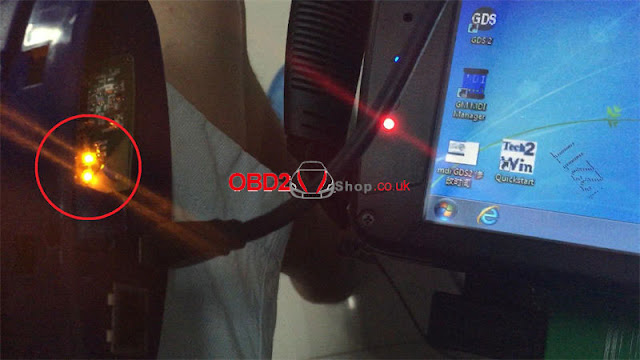
using opel with tech2 win on the mdi2 box the tick and car lights light up for a second then go off and the pc light flashes.
when i open tech2win it asks me to select the tool so i use mdi 2
the next box asks me to select the interface but the box is blank.
I can continue but get no comms with the car.
also i have gds2 but if i open that it has no valid lease found so won't work.

obd2shop.co.uk engineer replied:
Please reinstall the MDI Manager. I uploaded it on mega (no password).
https://mega.nz/#!tFxhBYCD!agbcrCKJL5PRNiNNEw6Vj7JnsWz0F3ekuChliyeZpRs

Good luck!
For further question, please contact at www.obd2shop.co.uk.

Thursday, 27 February 2020

Valuable one year online gm programming with SPS GDS2 Tech2Win

Look at One-year Online GM programming subscription:
http://www.obd2shop.co.uk/wholesale/one-year-gm-online-subscription-for-mdi-tech2.html
one-year-online-gm-programming
Contained:
1. Programming: Tech2Win (Tech2 Software Emulator for PC)
2. SPS Programming Software Unlimited VIN
3. Diagnostics: GDS2 (Global Diagnostic System - Global Diagnostic Package), offline

Compatible with:
GM MDI
GM Tech2
VXDIAG VCX Nano GM
VCMII
other J2534 devices

Remote make online programming:
Within one year, the dealer will arrange engineers to help remote make online programming via Teamviewer.
Note: Please keep using on one laptop, otherwise account will be blocked.

Watch video on GM SPS programming procedure:

The above source of One-year Online GM programming subscription is the value of money. please read the following paragraphs and you will agree with me:
GM Diagnostic software you can install it ( Tech2win and GDS2 but SPS Programming needs a different subscription ( at least in opel-infotech ) and it can be done only online. NO offline.
Go in their official page. Choose Register and follow the steps.

SPS PROGRAMMING is ONLY ONLINE
For Europe you have to:
1. Register in opel-infotech.com or vauxhall-infotech.com
2. Buy a subscription
a. Chevy SPS Programming 35-40€/2 hours
b. OPEL SPS Programming 35-40€/2 hours
c. CHEVY GDS2 - 120€/year
d. OPEL GDS2- 120€/year
e. OPEL TECH2WIN OPEL- 125€/3 months
f. CHEVY TECH2WIN HHR 125€/months
For each subscription, you have to pay a subscription and a fee
When you will buy the first time a subscription you have to buy a subscription you will also have to pay 35€+ fees more.
I think I don't pass anything because I write from my memory.

If you will use the Search button you will find software's to install it in normal/native windows.
But you will need a license.
If you are using Global Tis v32 you can install and activate Tech2win and GDS2 in native/normal windows and you don't need to pay any fee.
Tech2win do not cover any SPS Programming
GDS2 do not cover any SPS Programming

3. Tech2win do not support SAAB
Only GDS2 cover SAAB between 2010-2012
For SAAB you need Tech2 handheld tool
There is a patched SAAB PCMCIA for Tech2win but this will not work well but only (maybe) in 9-3 Sport as I remember.

http://blog.obd2shop.co.uk/valuable-one-year-online-gm-programming-with-sps-gds2-tech2win/

Wednesday, 26 February 2020

How to setup GM Tech2 Tis2000 patch?

This article is on why need to crack Tis2000 software and how to crack TIS2000 for GM / Opel.

Why need to crack GM Tech2 Tis2000? 
For GM Opel tis2000: use D630 computer, you can insert the USB dongle to use or use the patch to crack.
For Saab TIS2000: usually use IBM T30, for other computer you may get error message, need to insert the USB dongle, can't use the patch to crack.

How to crack TIS2000 for GM / Opel:
Part 1: Insert CD2.
Insert TIS2000 CD into the computer, open DVD.
Open "AUTORUN" to setup.
crack-tis2000-01

crack-tis2000-02


Next.
Select language.
Next;
COM1.
Standalone;
NAO;
crack-tis2000-03

crack-tis2000-04

crack-tis2000-05

Tick "Click here to add", then "Continue".
crack-tis2000-06


Click on "Ok".
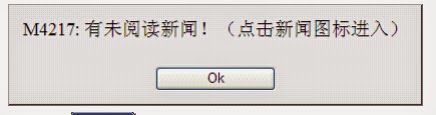
M3311: the program has finished.
Please attach the USB security key to the PC in order to complete the process.
crack-tis2000-07

crack-tis2000-08


TIS2000 Transbase and ODBC installation.
M723: TIS2000 successfully updated.
crack-tis2000-09

crack-tis2000-10


Part 2: Insert CD2.
M723: Tis2000 successfully updated.
crack-tis2000-11

crack-tis2000-12


Part 3: Insert CD3.
Open the cd, then "TIS2000 patch" to copy "SuperPro.dll".
Right-click on "TIS 2000", then "Find "Find target", then paste "SuperPro.dll" here.
crack-tis2000-13

crack-tis2000-14


Part 4: open TIS2000.
Enter the "Service Programming system".

crack-tis2000-15

crack-tis2000-16

crack-tis2000-17

Done.

Note: If you done by following the above procedure one by one, you won't get error " E666: Access to Service Programming Server was denied".
crack-tis2000-18


Good luck

Tis2000 tech support: www.obd2shop.co.uk

Tuesday, 8 October 2019

How to install tech2 software on VXDIAG VCX Nano for 2003 GMC Sierra diagnosis?

One user has a 2003 GMC Sierra HD Diesel 2500 4x4 to test the airbag sensor. But has no idea how to install tech2 software on VXDIAG VCX Nano to troubleshoot, and don't know what files can help confirm what cables are compatible with the car.

Here attach 5 diagnosing images:
install-tech2-software-on-vxdiag-vcx-nano-01

install-tech2-software-on-vxdiag-vcx-nano-02

install-tech2-software-on-vxdiag-vcx-nano-03

install-tech2-software-on-vxdiag-vcx-nano-04

install-tech2-software-on-vxdiag-vcx-nano-05


obd2shop.co.uk engineer solution: please watch this Youtube video on how to install tech2 software on VXDIAG VCX Nano


http://blog.obd2shop.co.uk/how-to-install-tech2-software-on-vxdiag-vcx-nano-for-2003-gmc-sierra-diagnosis/

Sunday, 6 October 2019

GM Tech2 clone works great for C5 (99) Corvette

GM Tech2 clone works great for C5 (99) Corvette: Automated Bleed, program done.

My new TECH2 device bought for £233.10
Here has a lot of folks give 5star, I believe folk's choice.
It is in perfect working order and has the screen cover.
Also included is the TIS2000 software which you will need to access the security to program keys
gm-tech2-01

gm-tech2-02

My Tech 2 (clone, works great) for my C5 (99) just for the Automated Bleed so I could completely flush the brake system particularly for the EBCM !!! Have since used the crap out of it, ECM/PCM re-learn, crank sensor re-learn etc !!!!

Also, use it to exercise my ABS motor every 3 months.
C5 has the built-in ability to pull vehicle specific DTC's right in the DIC and those can be exceptionally helpful in diagnosing and correcting common C5 issues.

There are a number of functions in addition to diagnostic troubleshooting that can be accomplished with the Tech II.
and another is the ability to program out unwanted features such as F45 or F55 RPO's ar program RPO's into a replacement BCM.

Do recognize that the tool has extremely limited ability to change settings in either the PCM or BCM. To accomplish change you need a programming tool such as HP Tuners or EFI Live and they can change only PCM settings.

they're very easy to use, just follow the display, and look around till you get tired, and try reading ''live data'' as much as you can, it speeds up the learning curve, and try it on as many GM cars/trucks as you can too.

GM Tech2 clone from:
https://www.obd2shop.co.uk/wholesale/cheap-tech2-with-caton-box-with-card-d.html


Thursday, 15 August 2019

(Solved) GM MDI GDS2 software Days Remaining Until Lease Expires 1

Update! GM MDI GDS2 software won't display " Days Remaining Until Lease Expires 1" any more now. It will display many days that it won't be used out.

gm-mdi-gds2-software-01

Source:
http://www.obd2shop.co.uk/wholesale/latest-mdi-ds2-for-gm-mdi-mdi2-software.html

Before, GM MDI GDS2 software had a problem "Days Remaining Until Lease Expires 1".
gm-mdi-gds2-software-02


Solution:
There is an icon on the software desktop, open this icon to follow the operation guide, it will tell how to adjust the time.

How to activate GM MDI GDS2 software?
1. Change computer time/date
1) Run "leasetime" in the computer's start menu, if GDS2 is pre-installed
gm-mdi-gds2-software-03
gm-mdi-gds2-software-04


2) Click "Stop ALGM Service", change data and time in "Date" and "Time" column. Make sure the date and time are correctly set.
3) Check and confirm the "Leasetime" is completely consistent with the computer system time, if not same, please change your PC date and time.
gm-mdi-gds2-software-activation-05


4) Select the date and time of the time zone (Your local exact time ).
gm-mdi-gds2-software-activation-06


2.Activate GM MDI GDS2 software
1) Connect your computer with network, browse to:
http://tis2web.eicp.net:9080/tis2web/
2) Select user account, then click on "ok".
gm-mdi-gds2-software-activation-07

3) Press "Continue"
gm-mdi-gds2-software-activation-08

4) Click on "OK" button when the system display new Tech2 version.

5) Click on "OK".
gm-mdi-gds2-software-activation-10

6) Select "GDS2" Tab and then press on Run GDS2 button.

7) The system will install JAVA software automatically.
gm-mdi-gds2-software-activation-12

8) After installing the JAVA, the system will automatically lease renewal.
9) After lease renewal, start MDI GDS software, the system will display the new lease the remaining days in the lower-left corner of software program.

That's all.
Thanks

How to Configure GM MDI 2 Wireless Connection Settings?

This is a guide on how to configure GM MDI 2 Multiple Diagnostic Interface wireless connection settings. 4 steps to easy finish. 1. Connect ...