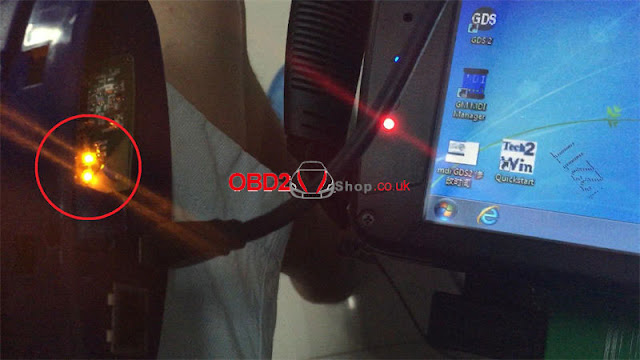
2019 GM MDI2 shares the same functions and vehicle coverage as GM MDI. GM MDI2 features in a light blue color shell and brand-new shape, GM MDI features in dark blue shell.
2019 GM MDI2 is optional with Wifi version and USB version (means wired network connection is not allowed)
GM MDI is only optional with Wifi version.
Image 1: 2019 GM MDI2 in light blue (WIFI or USB options)
Image 2: GM MDI in dark blue.
Similarities:
1. Both GM MDI2 and MDI are compatible with GDS2 Tech2Win
Software version: 2019.3
OS: WIN7 64bit
Computer: the year after 2008, 4GB RAM
Pros: gds2 software needs no activation
The method to use: Insert the HDD with GM MDI gds2 software into your computer; the software can be used directly with the GM MDI scanner.
Tech2win is the program that works just like a Tech II, but the program running on a laptop for the MDI (
clone MDI device which the Nano is).
GDS2 is the program for the C7, like the tech II and tech2win with midi is for the C6 instead.
On the VM GDS 2, you don't need an account with GM to use it, short of needing to do SPS programming, which you will need a TDS SPS subscription instead ($40 for 2 years per car).
So the low down for most laptops,
Wants to be running in win 10 for TDS SPS programming.
Needs to be running a multi-core chip in win 7 or above to run VM player for VM GDS2.
Need to be running in Win 7 native (32 or 64 bit) to run Tech2win (will not work in a VM shell).
2. Both GM MDI2 and MDI have the same capabilities
Full dealer level diagnostics and programming for all Vauxhall /Opel 16 pin vehicles from 1996 to 2017.
1). Clone GM MDI Review
Compatibility:
Device works with GDS2 (Opel)
Device works with Tech2Win (Opel, Hammer)
The device does not work with SAAB via Tech2Win
GM MDI is working in Consult 3 plus
Cars tested- success & failure list:
1: SAAB 9-5, 2003, 3.0 TID- works
mine is a clone from China.
MDI Software 8.1.135.13
GT32
SAAB NAO V9.250
Simply pressed OK when Candy detected and all worked.
Tested on SAAB 9-5, 2003, 3.0 TID
2: 2014 model - works
SAAB NAO V9.250 is from 2014. Already tested.
The 2003 year too old - not interesting for me.
3: Saab 9-5, 2003, 3.0 - works
Tested by my own, works with Saab 9-5, 2003, 3.0
Online or offline issues:
1: online - good, offline - bad
GM MDI good, interface works online.
update mdi 100%.
offline too bad for new cars.
2: wifi card compatible
at now, Chinese clone GM MDI with the squ wifi card
3: wifi not working but works well with USB
I bought a cheap one and it only worked with USB. The wired network and wifi did not work. In fact, the card flash socket was missing from the board. Build quality was not to bad. I just use it to flash newer PCM/ecm's.
GM MDI WIFI version:
http://www.obd2shop.co.uk/wholesale/for-gm-mdi-with-wifi-new.html
GM MDI USB version:
https://www.obd2shop.co.uk/wholesale/for-gm-mdi-multiple-giagnostic-interface-with-wifi.html
Quoted: a man of his words to trust in:
I would not go by pictures posted on the web as vendors share the same photos but the MDI had a different ethernet connector and missing card flash socket. It was advertised as (without wifi). It does work fine on USB and for flashing PCM/ECM because at 480 Mbit/s it is almost 5 times faster than ethernet.
The MDI clone works fine with tech2win and also TIS2000. Used it for diags and PCM flashing with no problem (through USB port only)
2). GM TECH2 TIS2000 VS VXDIAG Nano VS MDI in the installation
ON the VX nano, sometimes you can get Tech2win to run on win 10 (maybe if you have an AMD chip or not, but have not figured that one out yet), while on my i7 machine, Tech 2 win will not run in win 10 instead.
Tech2win is the program that works just like a Tech II, but the program running on a laptop for the MDI (clone MDI device which the Nano is).
GDS2 is the program for the C7, like the tech II and tech2win with midi is for the C6 instead.
On the VM GDS 2, you don't need an account with GM to use it, short of needing to do SPS programming, which you will need a TDS SPS subscription instead ($40 for 2 years per car).
So the low down for most laptops,
Wants to be running in win 10 for TDS SPS programming.
Needs to be running a multi-core chip in win 7 or above to run VM player for VM GDS2.
Need to be running in Win 7 native (32 or 64 bit) to run Tech2win (will not work in a VM shell).
Tis2000 needs to run in WinXP or built the VM XP shell, so it can be native in XP or in a VM shell so long as you have a multicore processor.
So the way I do it, since Tech2win will not run native on my machine with an I7 process in win 10, I have a dual boot up in win 7 and win 10 both.
Win 10 is used to run pretty much everything I run, short of Tech2 win, which I use the win 7 64 boot up to run it.
So in the Win 7 dual boot up (small 40 gig partition off the drive), have tech2win to use the Nano as a Tech II, plus VM GMSI, and Tis2000 in a VM shell since I may need them as well for the VX nano running as a tech II when running in win 7.
In win 10 boot up,
VM GDS2 V17
TDS using internet explorer native with account
VM Tis2000 built on a full XP OS with account
VM GMSI
If you want to just run a single OS system, instead of a dual boot up machine since you can't get Tech2 win to run in win10, then you can run pretty much run everything in win 7 (32 or 64 bit), so long as you have a CPU that has multicores. Hence you going to need to run at least VM player for the VM shells, and it takes as a multi-core processor to run VM player (or VM workstation).
Note, I have VM workstation, instead of just VM player, since I build other VM shells to run in windows as well.
So again, it really just depends on your machine, and if you Tech2win will run correctly on it or not.
Hence the problem is when you open Tech2win, you need to get three pop up screens once Tech2win start the program.
The first screen will ask you what country, and you select North America.
The second pop up will ask you if the device is an MDI 1 or MDI 2, and you select MDI 1.
The third pop up screen will ask you if you want to select the USB device (the nano plugged into a USB port), you select it, then it will take you to the Tech2win start screen.
So if you open Tech2win, and you don't get the three pop up screens but just goes directly to tech2win main start screen below instead, then Tech2win is not going to work on your machines win 10. Hence the problem is a glitch in midi and tech2 win interface to select the nano, to begin with (what the pop-up screens are), and if you can't select the nano via the pop-up screens, tech2win will not connect to the nano in the first place.
Again don't know if this is an AMD verse Intel CPU problem in win 10, but the only laptops that I have seen run Tech2win in windows 10, just happened to be laptops running an AMD CPU instead. And yes, have tried to skin the cat many way with added drivers and compatibility modes, and it's driver/code line that Win 10 does not have for the Intel CPU (but seems to to have for the AMD CPU that is a carry over from the win 7 days to make the AMD chip work with win 10 instead).
Please enjoy.
www.obd2shop.co.uk